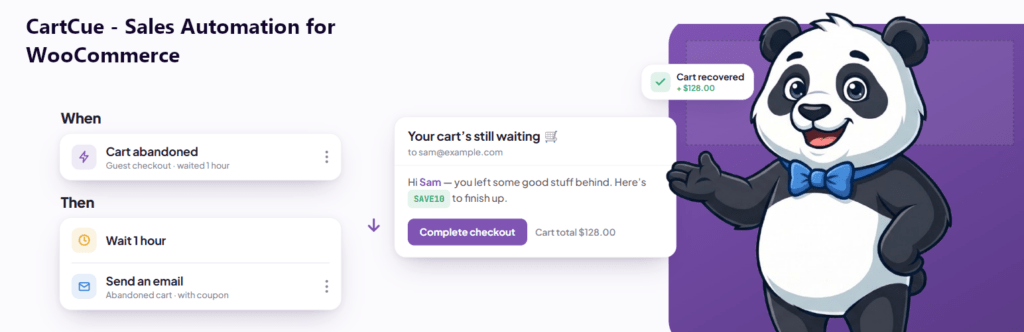
Want your best customers to feel like VIPs without tracking spend in a spreadsheet? Set up one automation that watches each customer’s lifetime spend and, once they cross a threshold you choose, emails them a thank-you coupon. With CartCue’s Customer Total Spent rule you can do this for free, and it rewards every qualifying customer automatically, forever.
A small percentage of customers usually drives most of your revenue. Making them feel recognized is one of the highest-return things a store can do and it costs far less than chasing new buyers. This automation handles the recognition for you.
What you’ll need
The coupon-based VIP reward is 100% free.
- WooCommerce installed and active.
- CartCue (the free version is enough). The Order Paid trigger, the Customer Total Spent rule, Generate Coupon, and Send Email are all free.
No Pro required for the coupon version. (Upgrading a customer’s role, awarding loyalty points, or granting a membership are Pro, covered at the end.)
Step 1 – Create a new Automation
In your WordPress admin, go to CartCue → Automations → New → Build from Scratch. We’ll reward customers right after a purchase that tips them over your VIP threshold.

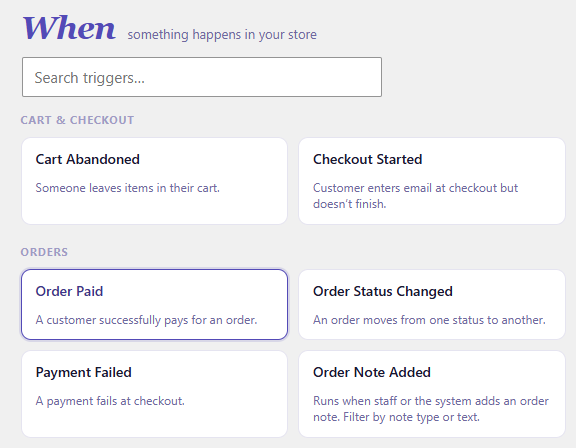
Step 2 – Set the trigger (WHEN): Order Paid
Choose Order Paid. Checking spend right after a confirmed purchase is the natural moment, it’s exactly when a customer might cross into VIP territory.
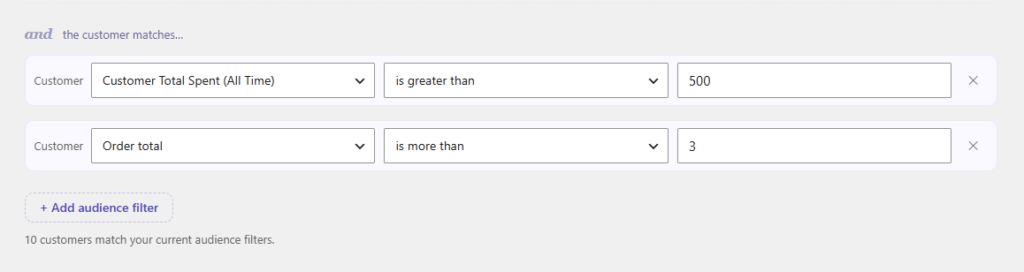
Step 3 – Set the condition (IF): Customer Total Spent
Add the Customer Total Spent rule and set it to greater than your VIP threshold, for example, $500 lifetime. Only customers whose all-time spend clears that line will qualify. Want a stricter definition? Add the Order Count rule too (e.g. 3+ orders) so one-time big spenders and loyal regulars are treated differently.
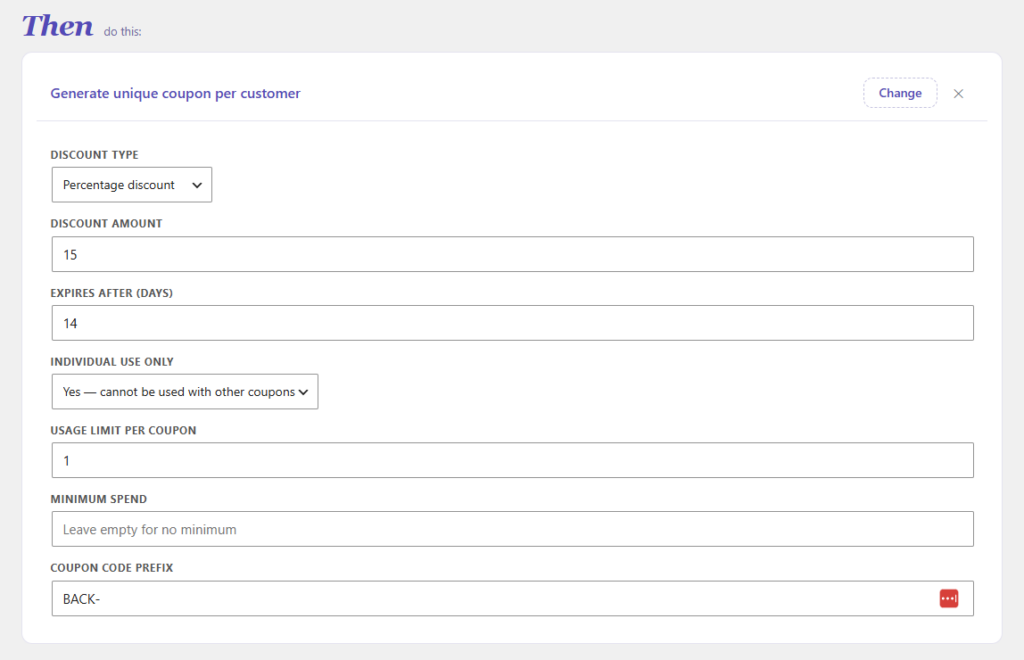
Step 4 – Add the reward (THEN): Generate Coupon
Add a Generate Coupon action. A VIP perk should feel generous, try 15–20% off, a prefix like VIP-, a usage limit of 1, “individual use,” and a comfortable expiry (e.g. 30 days). CartCue mints a unique code per customer.
Step 5 – Write the thank-you email
Add a Send Email action. Use merge tags so it personalizes itself: {{customer.first_name}}, {{coupon.code}}, {{coupon.expiry}}, {{shop.name}}, {{shop.url}}.
Copy-paste template:
Subject: You're one of our VIPs, {{customer.first_name}} 🌟

Hi {{customer.first_name}},
You've become one of our most valued customers — thank you, truly.
As a small thank-you, here's a VIP discount on your next order:
Use code {{coupon.code}} (expires {{coupon.expiry}}).
Shop now → {{shop.url}}
— The {{shop.name}} team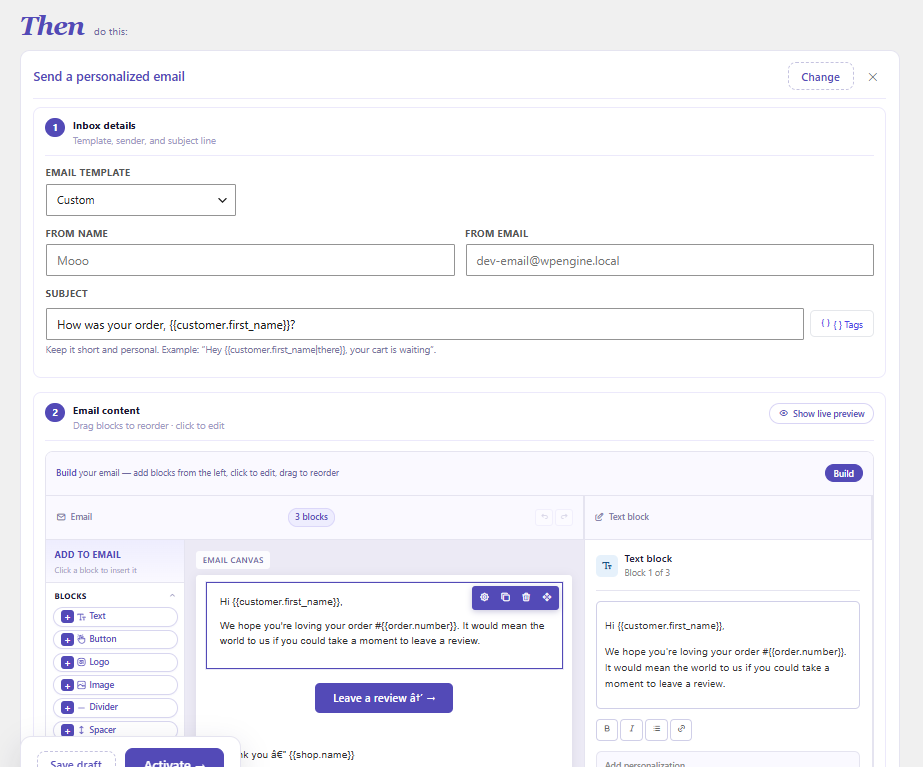
Step 6 – Control how often VIPs are rewarded
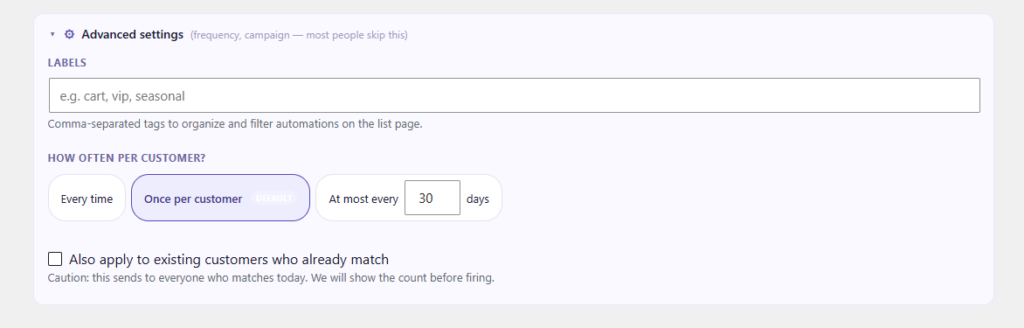
Because the spend check passes on every order once a customer is over the threshold, decide how often to reward them:
- Reward once – set max runs per customer to 1 to thank them the moment they first become a VIP.
- Reward periodically – set a cooldown (e.g. 90 days) to send a fresh VIP perk every quarter as a loyalty gesture.
Then activate the Play.
Tips
- Pick a real threshold. Look at your average order value and repeat rate, the top 10–20% of spenders is a good VIP cut-off.
- Make the perk feel special. A VIP discount should be clearly better than your everyday promos, or it won’t feel like recognition.
- Lead with gratitude. “Thank you” first, discount second, VIPs respond to being seen, not just sold to.
Want to go further? (CartCue Pro)
The coupon reward is free. CartCue Pro turns VIP status into something lasting:
- Upgrade their account role – the VIP unlock recipe automatically moves customers past a spend threshold into a VIP role, which you can pair with member-only pricing.
- Award loyalty points or grant a membership automatically.
- Tag them as VIP and sync to your CRM (Mailchimp, FluentCRM, Klaviyo) so your whole stack knows who your best customers are.
Frequently asked questions
How do I define a “VIP” customer in WooCommerce? By lifetime spend, order count, or both. Here we use the Customer Total Spent rule (e.g. over $500) — set the threshold to match the top slice of your customer base.
Is rewarding top spenders free? Yes, when the reward is a coupon. The Order Paid trigger, Customer Total Spent rule, coupon, and email are all in free CartCue. Role upgrades, points, memberships, and CRM tagging are Pro.
Will a VIP get a coupon on every single order? Only if you let them. Set max runs per customer to 1 to reward once, or add a cooldown to reward periodically.
Can I reward by number of orders instead of spend? Yes, use the Order Count rule (also free), alone or combined with total spend.