Most WordPress hosting advice is written for blogs, where every visitor sees the same cached page, and the server barely works. A WooCommerce store is the opposite. Carts, checkout, account pages, and order history are personalized, which means they cannot be served from a normal page cache. Every one of those requests goes straight to PHP and the database, and that is exactly the path where a slow store loses sales.
If your store feels quick on the homepage but drags at checkout, or buckles the moment you run a promotion, the problem usually is not WooCommerce. It is the hosting underneath it. Here is a practical guide to what WooCommerce hosting actually needs, and how to tell whether a host is built for stores or just marketed that way.
Ready to hand off the WooCommerce website? Start your free trial or view pricing. When you’re ready to move, our team migrates your site for free, with little to no downtime.
Why WooCommerce Is Harder to Host Than a Blog
A blog serves the same cached HTML to everyone. A store cannot. The cart updates per visitor, checkout is unique to each order, and the My Account area shows personal data. None of that can be safely cached, so it hits your origin server on every request. On top of that, WooCommerce is database-heavy by nature: product lookups, stock checks, coupon validation, tax calculation, and order writes all run in real time.
So the question to ask a host is not “how fast is a cached homepage?” It is “how do you handle cart, checkout, and product search, the parts that cannot be cached.” A host tuned for static sites will look great on speed tests but still stall at checkout.
Checkout and Cart Performance
Checkout is the most database-intensive moment in the entire customer journey, and the one where slowness costs you money directly. A few things make or break it:
- Object caching with Redis or KeyDB. This caches the results of repeated database queries in memory, so product data, sessions, and cart contents do not have to rerun the same lookups on every click. In a busy store, this is one of the biggest single speedups available.
- Enough PHP workers, ideally auto-scaling. Every active shopper needs a PHP worker. Too few and requests queue, so carts hang and checkout spins. Hosts that add workers automatically during a rush keep the buy button responsive.
- Isolated resources. On shared hosting, another site’s traffic can starve your store right when you need it. A dedicated environment with its own CPU, RAM, and workers keeps your checkout speed all your own.
Handling Traffic Spikes on Sale Days
A product launch, a flash sale, or a feature in someone’s newsletter can multiply your traffic in minutes. That is the best problem to have, until the store goes down at the worst possible time.
The hosts that survive this do two things. They scale PHP capacity automatically so concurrent shoppers do not queue, and they put a CDN in front of the store to absorb the front-end load from visitors browsing before they buy. When you evaluate a host, ask exactly what happens during a surge, and whether you need to predict and upgrade in advance, or whether it scales on its own.
A Database and Search Built for Catalogs
As a catalog grows, product search and filtering become some of the heaviest queries on the site. Shoppers who cannot find a product do not buy it, so this matters for revenue, not just speed. Look for a database layer tuned for query-heavy workloads, paired with object caching so that the same searches do not repeatedly hammer the database. For large catalogs, some hosts add an index-based search engine to keep filtering fast as the product count climbs.
A CDN That Respects Cart and Checkout
A content delivery network caches your store’s content across global edge locations, so visitors load from a nearby server. For a store, the important detail is where things get cached. Static assets like product images, CSS, and fonts should cache at the edge for everyone. Cart, checkout, and account pages must bypass the edge cache and be served fresh to each shopper, so no one ever sees someone else’s cart or a stale price. A CDN that ships with SSL and a web application firewall adds both speed and security in a single layer.
Security for a Store That Takes Payments
A store holds customer accounts, addresses, and payment information, making it a bigger target than a typical site. The strongest protection is at the hosting layer, in front of WordPress, where it can block malicious traffic before a plugin ever loads. Look for:
- A web application firewall and a DDoS protection filter both mitigate malicious traffic at the edge.
- Environmental isolation means that a compromise on another site cannot reach your store or its data.
- Malware scanning, with a clear answer about who handles cleanup if something is found.
- Free, auto-renewing SSL on every site, which customers and payment gateways both expect.
Backups That Protect Your Orders
For a store, the recovery point matters as much as the backup. Lose a day of data, and you may lose a day of orders, new customers, and stock changes.
- Daily backups are the baseline.
- Hourly backups are worth seeking out for an active store, because the gap between daily and hourly can be dozens of real orders.
- On-demand snapshots let you save a restore point before a risky plugin or theme update.
- One-click restore of the whole store or individual files turns a disaster into a quick fix.
- Staging lets you test a WooCommerce or payment-gateway update on a copy first, so a bad update never breaks live checkout.
Support and Migration: The Human Part
When checkout is down, you do not want a help article. You want a person who can read a slow query log or a plugin conflict and fix it. If you are not a developer, prioritize a host that offers real support and a hands-on migration team to move the store for you with little to no downtime. That removes the biggest reason store owners stay on a host they have outgrown.
Hosting Is Half the Equation
Good hosting gives your store the speed, stability, and security to handle real shopping traffic. What turns that traffic into revenue is what you build on top of it.
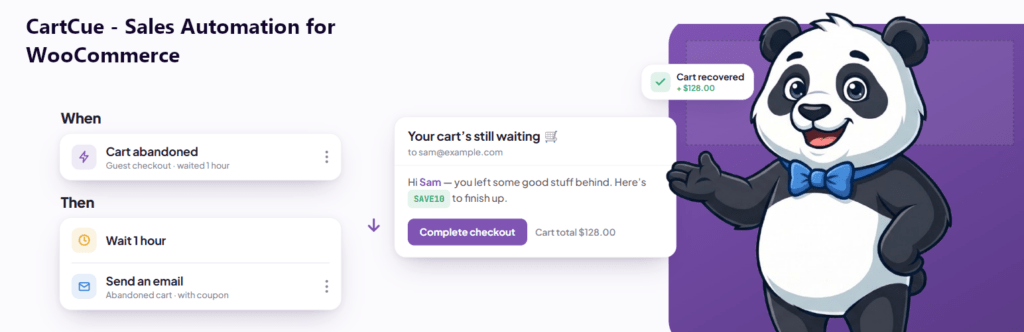
That is where your plugins come in. CartCue automates the sales work most store owners do by hand: order status update emails, automatic review requests, win-back campaigns for lapsed customers, VIP rewards for top spenders, birthday coupons, and CRM sync to Mailchimp, FluentCRM, or Klaviyo. GIA sends accurate GA4 ecommerce events so you can actually see what is working. Fast hosting keeps the store responsive. The right automations make every order work harder for you.
The Bottom Line
For a WooCommerce store, hosting is a revenue decision, not a commodity purchase. Optimize for the parts that cannot be cached: cart and checkout performance, scalable PHP workers for sale days, a tuned database and fast catalog search, isolated resources, a CDN that respects dynamic pages, host-level security, and hourly-to-daily backups with one-click restore. Then build on top of it with automation that grows revenue from the traffic you already have.