1. Overview
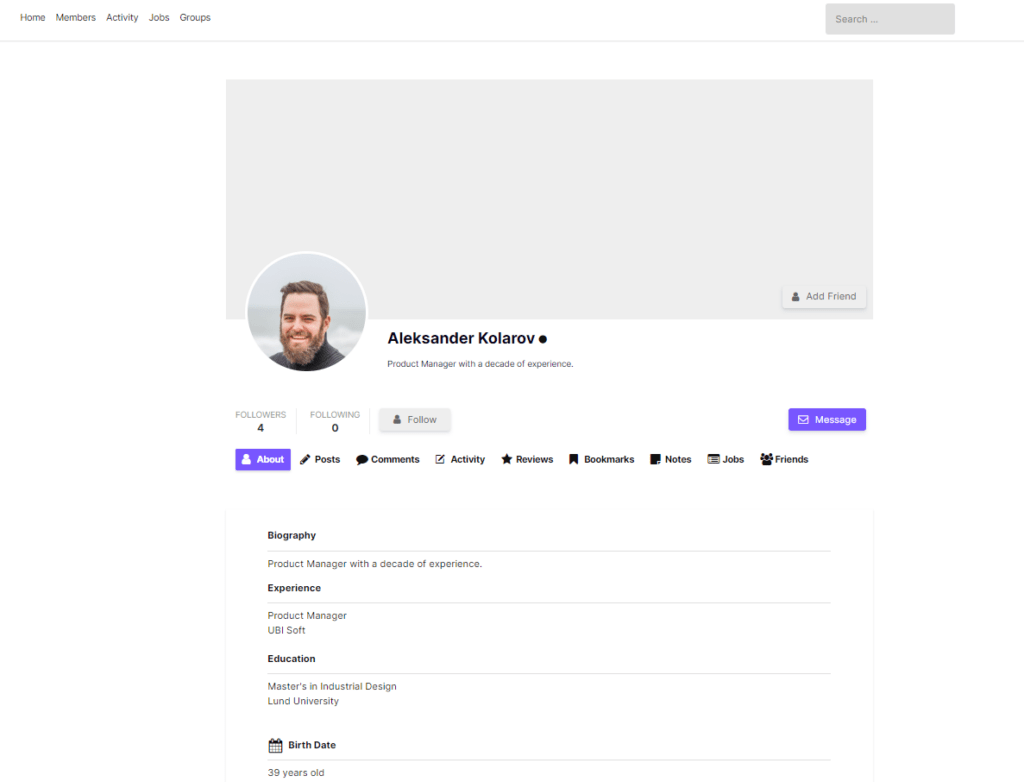
Ultimate Member writes submissions into user meta and does not keep the submission itself. Once a field is overwritten, the old value is gone; failed registrations leave no trace. This plugin stores each submission as its own record.
| Item | Value |
|---|---|
| Plugin name | Ultimate Member – Form Entries |
| Version | 1.0.0 |
| Author | userelements |
| License | GPLv2 or later |
| Requires | WordPress 6.2+, PHP 7.4+, Ultimate Member 2.8.0+ |
| Tested up to | WordPress 6.8 / UM 2.12.1 |
| Type | Premium-only (Freemius) |
| Frontend UI | None (no shortcodes / templates) |
| Admin location | Ultimate Member → Form Entries / Entries Settings |
2. What it records
| Source | What is stored |
|---|---|
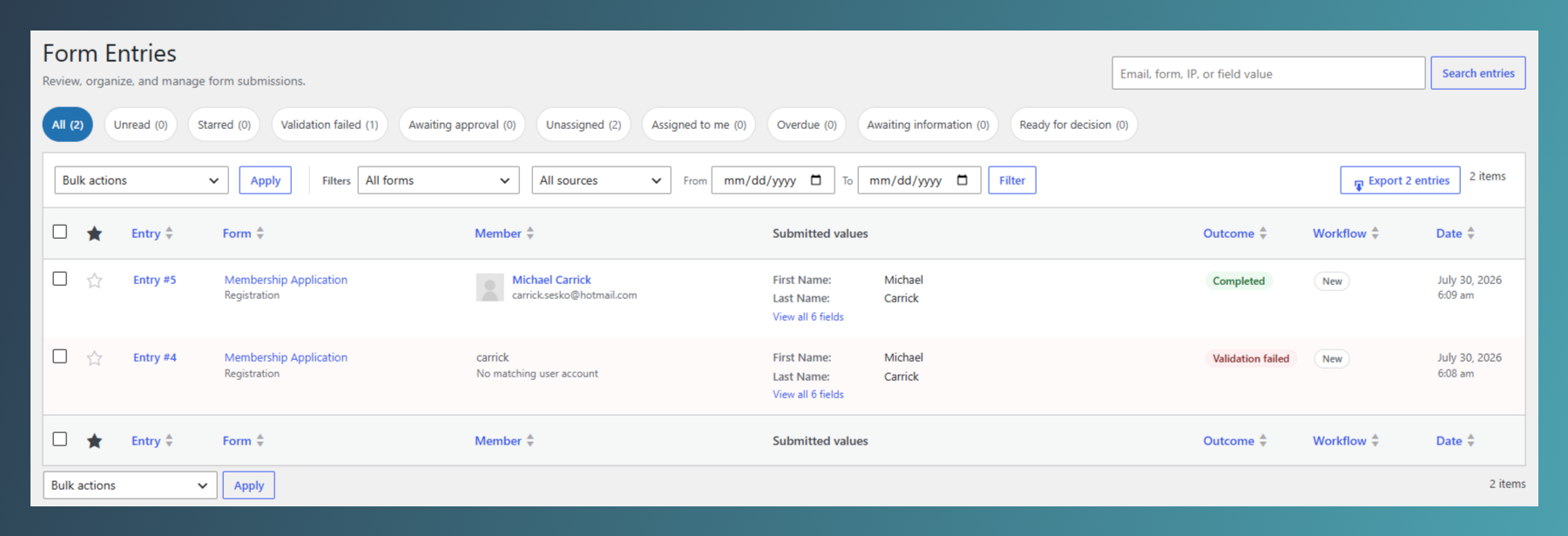
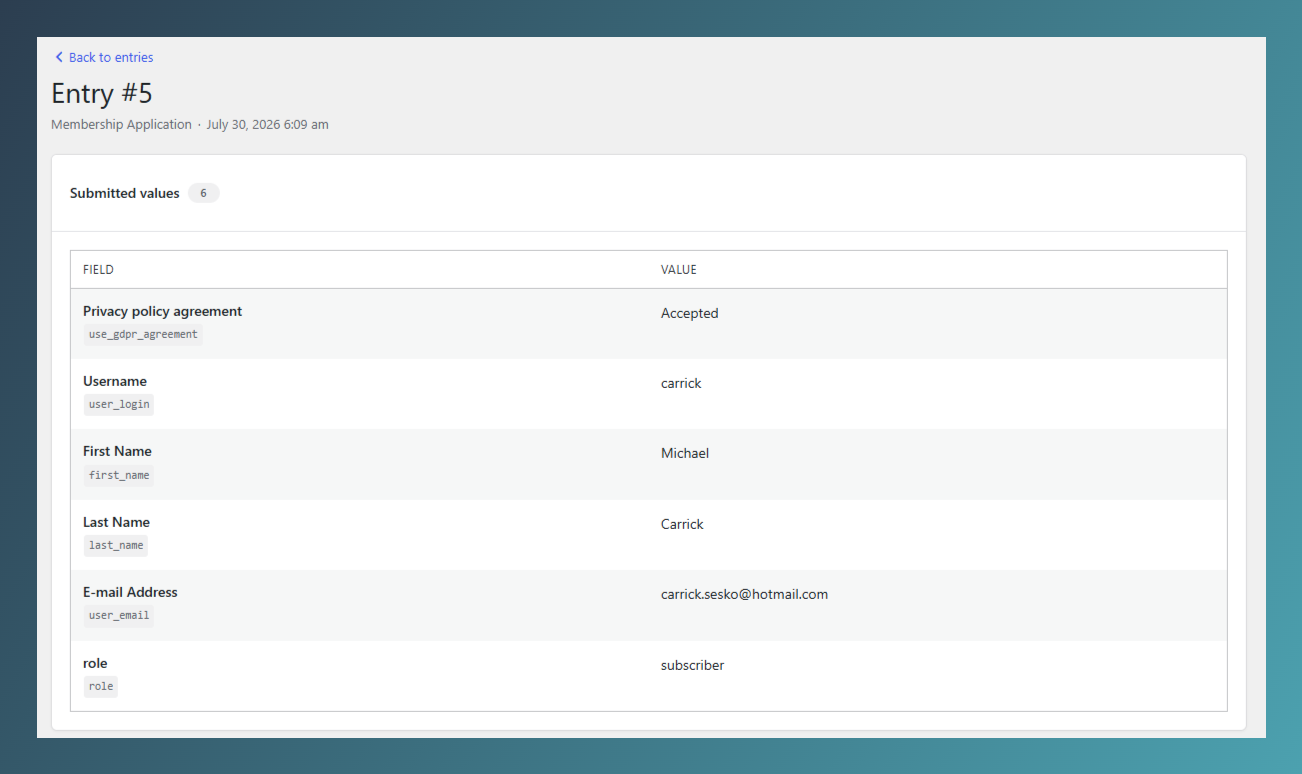
| Registrations | All submitted fields (with form labels), linked user, UM account status at capture time |
| Profile updates | Before → after diff per changed field; linked as revisions on the registration “case” when identity is clear |
| Failed submissions | Field values + per-field validation error messages (login mode excluded) |
| Consent snapshots | Privacy/GDPR agreement text + SHA-256 hash at registration |
| Member Submissions | Content posts, if that UM extension is active |
Never stored: passwords, nonces, captchas, and similar secret fields (blocked by key, type, and pattern).
📸 Screenshot – Registration entry
3. Requirements & installation
- Install and activate Ultimate Member 2.8.0+.
- Upload and activate Ultimate Member – Form Entries.
- Complete Freemius license/connect flow if prompted.
- Entries begin recording immediately under Ultimate Member → Form Entries.
- Configure capture and policies under Ultimate Member → Entries Settings.
On activation the plugin:
- Creates/updates tables
wp_umfe_entries,wp_umfe_entry_meta,wp_umfe_entry_events - Adds capabilities to the Administrator role
- Merges default settings into
umfe_settings - Schedules daily retention cron
umfe_retention_cleanup - Migrates legacy
um_entries/um_entry_metatables when safe
Deactivation clears the retention cron only; data stays. Uninstall deletes tables/options only if Delete all entry tables when this plugin is uninstalled is enabled.
WP admin Plugins screen with both Ultimate Member and Form Entries active, plus the Form Entries submenu under Ultimate Member (optionally with unread badge).
4. Admin navigation
| Screen | Path | Capability |
|---|---|---|
| Form Entries (list + single) | admin.php?page=umfe-entries | um_manage_entries |
| Entries Settings | admin.php?page=umfe-settings | manage_options |
| CSV export | List page + Export (nonce-protected) | um_export_entries or manage |
| Users list shortcut | Users → row action Form entries | manage entries |
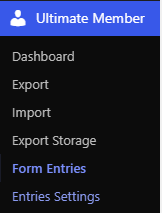
📸 Screenshot – Menu location
Ultimate Member admin menu expanded, showing Form Entries (with unread count badge) and Entries Settings.
5. Form Entries list
URL: Ultimate Member → Form Entries
Views (tabs)
All · Unread · Starred · Errors · Pending · Unassigned · Assigned to me · Overdue · Awaiting info · Ready
Filters & search
- Filter by form, source/mode, date range
- Search member details, form titles, IPs, and stored field values (min. 2 characters)
Row / bulk actions
Mark read/unread · Star/unstar · Delete · Approve · Reject (reviewers) · Assign (from row/single)
Outcome vs workflow status
- Outcome:
complete,error,pending - Workflow:
new→assigned→awaiting_info→ready→approved/rejected
6. Single entry screen
URL: admin.php?page=umfe-entries&action=view&entry_id={id}
Opening an unread entry marks it read and logs a viewed event.
Main column
- Submitted values — field label, meta key, value; diffs and errors when present; masked fields per policy
- Case revisions — other submissions in the same case (registration + later profile updates)
- Event timeline — created, viewed, assigned, approved, rejected, notes, legal hold, etc.
Sidebar / actions (typical)
- Member identity (user, email, login)
- Form, mode, IP/UA/referer (if enabled)
- Consent snapshot (text + hash + time)
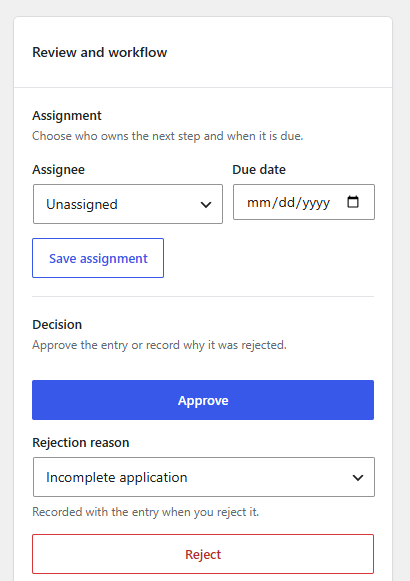
- Assign reviewer + due date
- Workflow: request info, mark ready, return to review
- Approve / Reject (calls UM native status APIs — emails stay native)
- Legal hold on/off
- Star / delete
- Admin note
📸 Screenshot – Event timeline
Timeline with assign, request info, approve/reject events and actor names.

📸 Screenshot – Approve / Reject
Confirm dialog or action area showing reason codes before decision.
7. Review workflow (use case)
Goal: Manually vet pending registrations without leaving WordPress, while keeping Ultimate Member’s emails and account status as the source of truth.
- New registration captured → entry appears (often
pending/ workflownew). - Assign a reviewer + optional due date →
assigned. - Optionally Request info →
awaiting_info. - When complete → Mark ready →
ready. - Approve or Reject via UM APIs → workflow
approved/rejected. - Put disputed cases on legal hold so retention never deletes them.
Who can review: capability um_review_entries (Administrator by default).
8. Entries Settings
URL: Ultimate Member → Entries Settings
Sections
Entries to record
Registrations · Profile updates · Failed validation · Member Submissions
Failed submission limits
Captures per client · Window (seconds) · Fields per capture · Bytes per capture (0 = disable)
Request data
Store IP · User agent · Referer (Cloudflare country when header present)
Retention and display
Global retention days (0 = forever) · Entries per page (5–200)
Starred + legal hold always retained
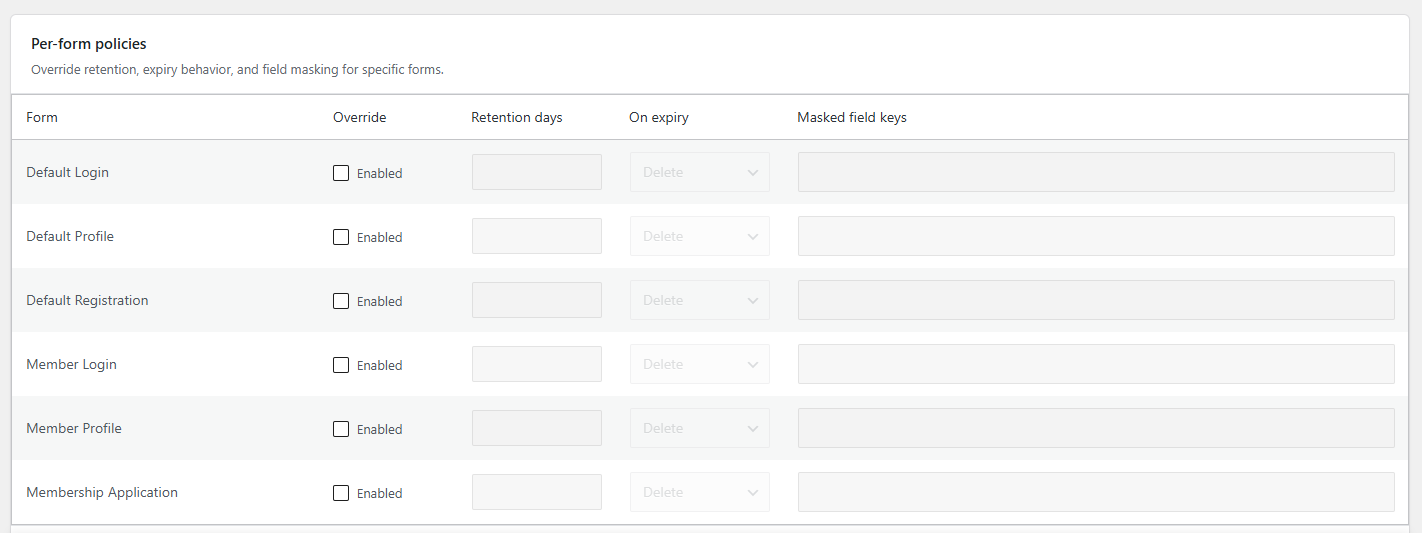
Per-form policies
Per UM form: enable override · retention days · on expiry (delete / anonymize) · masked field keys
Data deletion
Delete entries when user is deleted · Delete all tables on uninstall
📸 Screenshot — Per-form policies table
At least one form with override enabled, retention, anonymize, and masked keys filled (e.g. phone_number, national_id).
9. Export, privacy & retention
CSV export
From the list screen; respects current filters/search. Streaming download with formula-injection escaping (=, +, -, @, tab).
GDPR / privacy
- Registers with WordPress Tools → Export Personal Data and Erase Personal Data
- Optional delete-on-user-delete
- Field masking for sensitive keys without
um_view_entry_sensitive
Retention
Daily cron umfe_retention_cleanup deletes or anonymizes expired entries per global/per-form policy. Excludes starred and legal-hold entries.
10. End-to-end use cases
A. Audit trail for compliance
Ops needs proof of what was submitted and which privacy text was accepted.
→ Enable registration + consent capture → open entry → consent hash + timeline → export CSV for auditors.
B. Investigate failed signups
Marketing reports “form broken.”
→ Open Errors view → inspect per-field validation messages → fix UM form validation.
C. Manual membership approval desk
Site uses UM “require admin approval.”
→ Reviewers use Form Entries (not only Users) → assign / due dates / approve-reject via UM.
D. Track profile changes over time
Support: “When did they change email?”
→ Open registration case → Case revisions → profile entries with before/after diffs.
E. Data minimization
GDPR retention policy: delete after 365 days, mask phone.
→ Global or per-form retention + masked keys → legal hold for disputes → privacy eraser for subject requests.
F. Member Submissions content log
With Member Submissions active, content saves appear as entries for moderation/history.
Members (frontend users) never see this plugin; capture is silent during UM form processing.
11. Capabilities
| Capability | Purpose |
|---|---|
um_manage_entries | Menu, list, view, star, read/unread, notes, delete |
um_review_entries | Assign, workflow, approve/reject, legal hold |
um_export_entries | CSV export |
um_view_entry_sensitive | See unmasked masked fields |
um_manage_entry_policies | Policy helper (settings page uses manage_options) |
Granted to Administrator on install.
12. Data model (reference)
| Table | Role |
|---|---|
{prefix}umfe_entries | One row per submission (case_id, revision, form, user, status, workflow, flags, request meta, consent…) |
{prefix}umfe_entry_meta | Field values, old values, errors, change flags |
{prefix}umfe_entry_events | Append-only audit log |
Option key: umfe_settings
PHP API: UM()->entries()
No custom post types, shortcodes, REST routes, or wp_ajax_* handlers in plugin code. Actions run via admin GET/POST with nonces.
13. Developer hooks
Filters: umfe_modes, umfe_reason_codes umfe_blocked_keys, umfe_blocked_typesumfe_is_storable, umfe_entry_fieldsumfe_entry_ipumfe_entry_country_codeumfe_record_unchanged_profile_updates
Actions: umfe_entry_createdumfe_entry_deleted umfe_retention_ran umfe_fs_loaded
Cron: umfe_retention_cleanupumfe_delete_user_entries
14. FAQ
Does it store passwords? No.
Where is data stored? Custom umfe_* tables (not user meta alone; survives UM uninstall of its own tables).
Does approve/reject bypass UM? No — uses UM status APIs.
Is there a frontend UI? No.
Premium? Yes — Freemius premium-only.